How to Register and Build a WordPress Website in South Africa (2026 Guide)
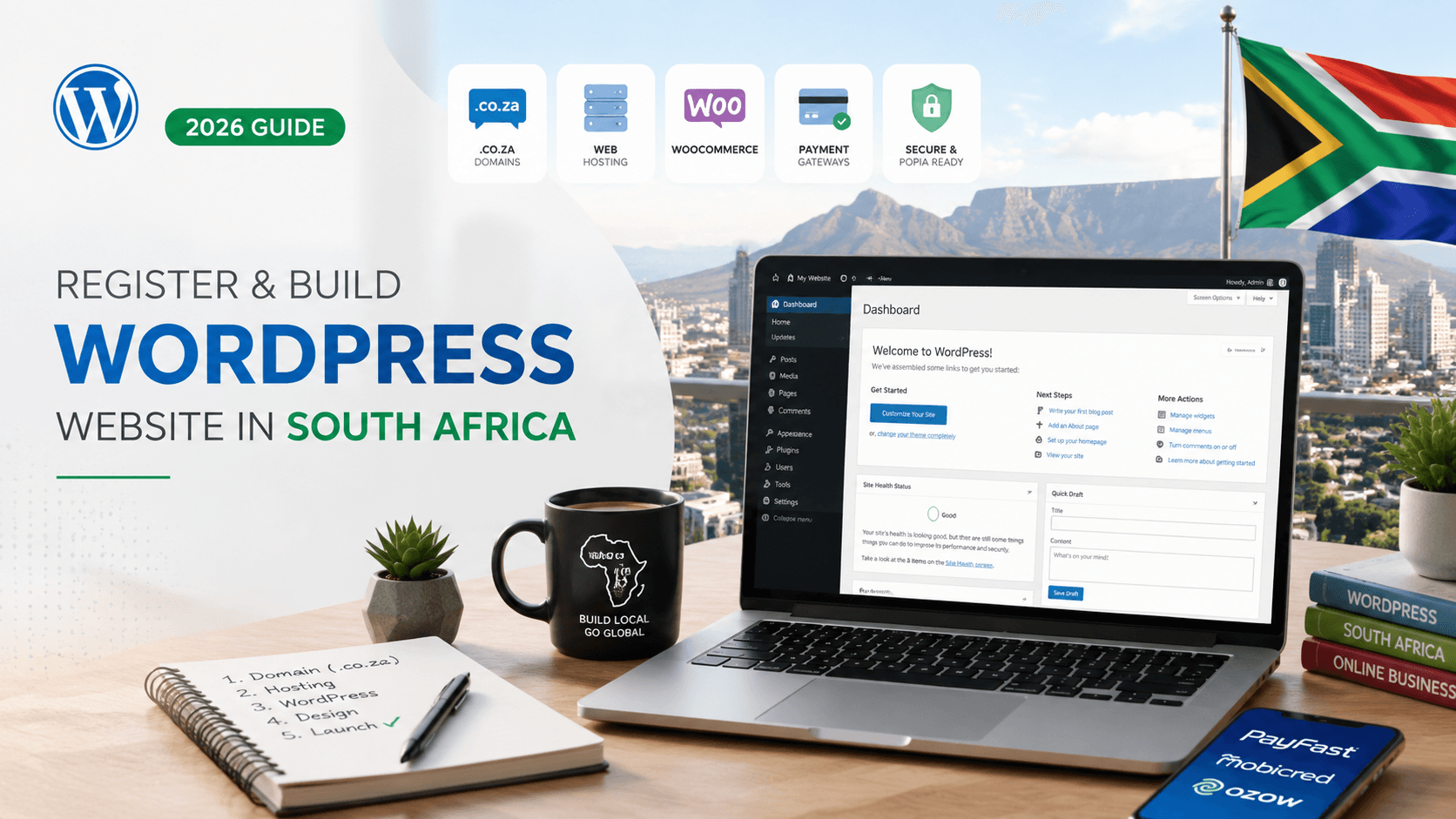
Building a WordPress website in South Africa is still a practical route in 2026, especially for founders, local service businesses, ecommerce stores, creators, consultants, and small teams that want a real website on their own domain.
The important part is understanding the stack before you pay for anything. A domain is not hosting. WordPress.org is not the same as WordPress.com. Shared hosting is not the same as WordPress hosting. WooCommerce is free to install, but payment gateways and professional setup still affect your cost.
Data note: public sources, product pages, and pricing pages referenced in this guide were checked on 2026-05-08. Hosting plans, domain prices, payment fees, and gateway features can change, so confirm the current terms before buying.
Why South African Businesses Still Choose WordPress in 2026
WordPress remains useful because it lets a South African business start small and still keep long-term control. A simple brochure website can later become a blog, a booking site, a lead-generation site, a WooCommerce store, or a multilingual site without rebuilding from scratch.
The official WordPress features page describes WordPress as open-source software with themes, plugins, user roles, media management, multilingual support, and strong publishing tools. That flexibility is why many South African teams still use it instead of locking every part of their website into one closed platform.
WordPress is especially strong when:
- your website needs articles, service pages, landing pages, and SEO content
- you want a
.co.zadomain and a South African email address - you need local payment options such as debit card, credit card, EFT, and Instant EFT
- you may add WooCommerce later
- you want to change developers or hosts without losing the whole site
If your main question is whether to use a fully hosted ecommerce platform instead, compare this guide with our South African Shopify payment article: How to Register Shopify in South Africa and Get Paid in 2026.
Domain Basics: What a Domain Is and Why .co.za Still Matters
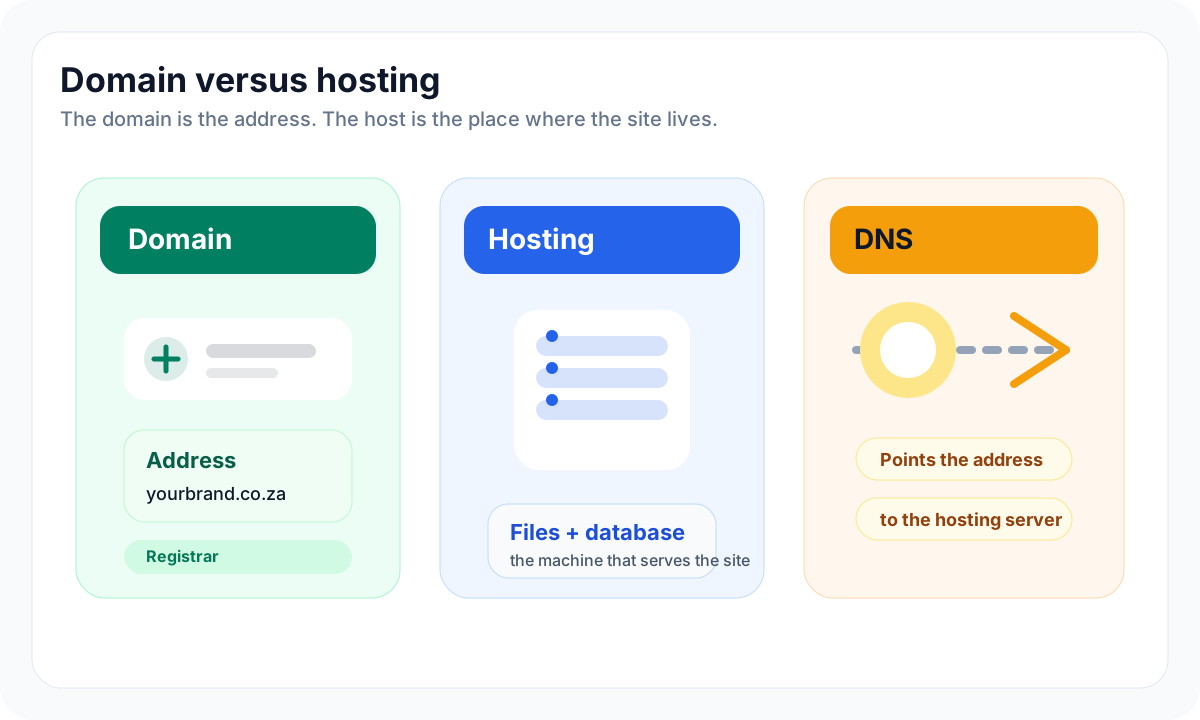
A domain is the address people type into a browser, such as yourbrand.co.za. Hosting is the server space where the website files, database, images, and software run. DNS is the instruction layer that points the domain to the hosting server.
For a beginner, the clean mental model is this:
- Domain: the street address
- Hosting: the building where the website lives
- DNS: the signpost that sends visitors to the correct building
- SSL: the security certificate that makes the site load over
https://
.co.za vs .com
For a business selling mainly to South African customers, .co.za is usually the natural first choice. It feels local, works well for local trust, and fits brands that price in ZAR and serve buyers in Johannesburg, Cape Town, Durban, Pretoria, and the rest of South Africa.
Use .com when the brand is strongly international, when you expect global customers, or when the .co.za version is unavailable. If both are available and the brand matters, buy both. Use one as the main website and redirect the other so customers do not land on a copycat or parked domain.
The ZA Domain Name Authority explains the broader .za namespace and domain-name registration ecosystem. In practical terms, most beginners do not register through ZADNA directly. They buy through a registrar or hosting company such as Afrihost, xneelo, Oner, or another provider that can register the domain and manage DNS.
WordPress.org vs WordPress.com
This is the first decision that confuses beginners.
WordPress.org is the open-source software. You download or install it on your own hosting account. You choose the host, theme, plugins, backups, email setup, and developer.
WordPress.com is a hosted service that runs WordPress for you. It can be easier to start, but the plan level matters. The official WordPress.com pricing page lists plans such as Free, Personal, Premium, Business, Commerce, and Enterprise, and the official WordPress comparison material explains that higher-tier plans unlock full plugin and theme support.
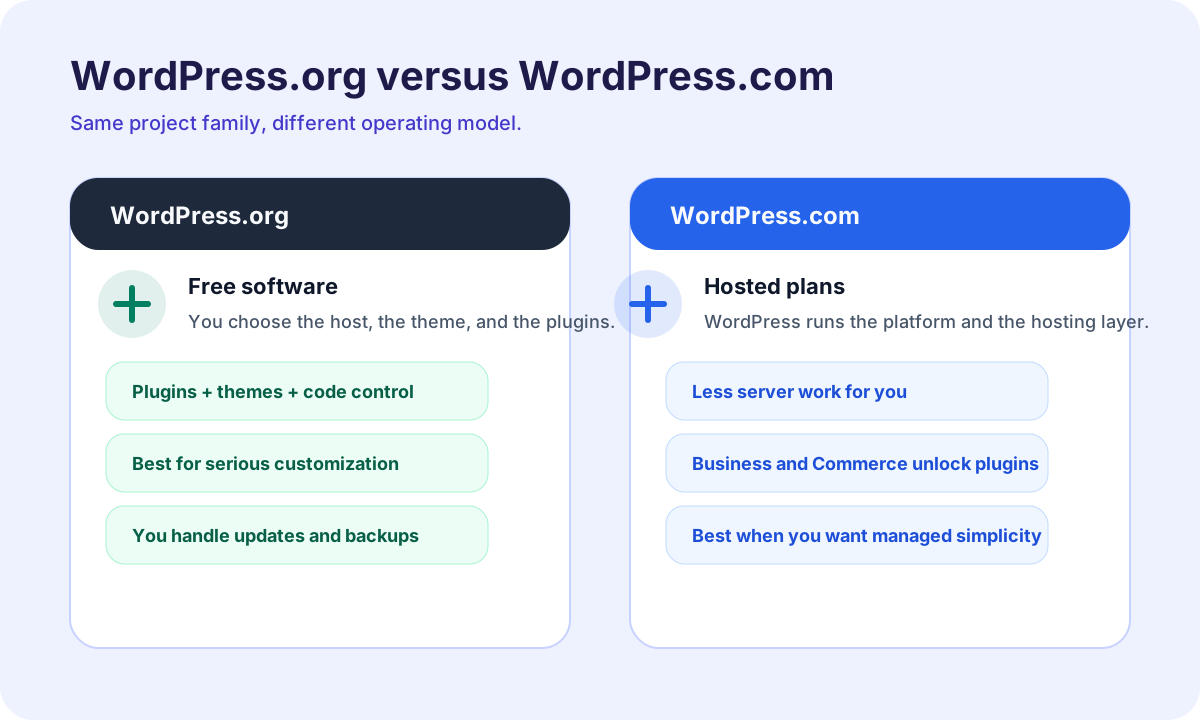
Choice | Best for | Main tradeoff |
|---|---|---|
WordPress.org | Businesses that want full control, WooCommerce, custom plugins, and host choice | You must manage hosting, updates, backups, and security |
WordPress.com | Beginners who want a managed platform and do not want to touch hosting | Advanced plugins and ecommerce usually require higher plans |
For most South African business websites, WordPress.org on good hosting is the better long-term default. WordPress.com can still make sense if you prefer a managed subscription and do not need deep customisation.
What Hosting Is: Local Hosting vs International Hosting
Hosting is where WordPress actually runs. A host gives you server resources, storage, a database, SSL support, email tools, backups, and usually a control panel or WordPress installer.
South African beginners usually compare three types of hosting.
Shared hosting
Shared hosting means your website shares server resources with other websites. It is cheaper and fine for small service websites, portfolio sites, and new blogs with modest traffic.
It becomes limiting when the site has heavy WooCommerce activity, many plugins, large images, slow scripts, or traffic spikes. You can still start here, but choose a provider that lets you upgrade cleanly.
WordPress hosting
WordPress hosting is hosting configured around WordPress. It usually includes a one-click installer, SSL, caching, backups, and support staff who understand WordPress problems. Providers such as xneelo, Afrihost, Oner, HostWP, and Hostinger all position WordPress hosting or WordPress-ready hosting in different ways.
WordPress hosting is not magic. It is still hosting. The benefit is that the defaults are more aligned with WordPress.
Local host or international host?
If your audience is mostly South African, a local or South Africa-focused host has practical advantages: ZAR billing, local support habits, easier domain bundling, and often lower latency for local visitors. If your audience is global, an international host with a strong CDN and multiple data centres can also work well.
For most first websites, the priority is not the cheapest possible host. The priority is support, backups, SSL, upgrade path, and whether the dashboard is clear enough that you can make basic changes without fear.
How to Register a .co.za Domain Step by Step
You can register a .co.za domain through most South African hosting companies and domain registrars. The process is usually similar across providers.
- Choose the domain name. Keep it short, brandable, and easy to spell over the phone.
- Search availability through a registrar such as xneelo, Afrihost, Oner, or another registrar.
- Register the domain using accurate owner and contact details.
- Choose whether DNS will be managed by the registrar or your hosting provider.
- Point the domain to your hosting nameservers.
- Add SSL and test that both
https://yourbrand.co.zaandhttps://www.yourbrand.co.zaload correctly. - Create a professional email address such as
hello@yourbrand.co.za.
As a 2026 cost reference, xneelo's public domain page listed .co.za at R105/year and .com at R279/year when checked on 2026-05-08. Some hosting plans bundle the first-year domain. Afrihost, for example, advertised a free first-year domain with eligible shared hosting packages on its shared hosting page when checked on the same date.
Installing WordPress Step by Step
Most modern hosts provide a one-click WordPress installer. WordPress also has an official installation guide if you need to install it manually.
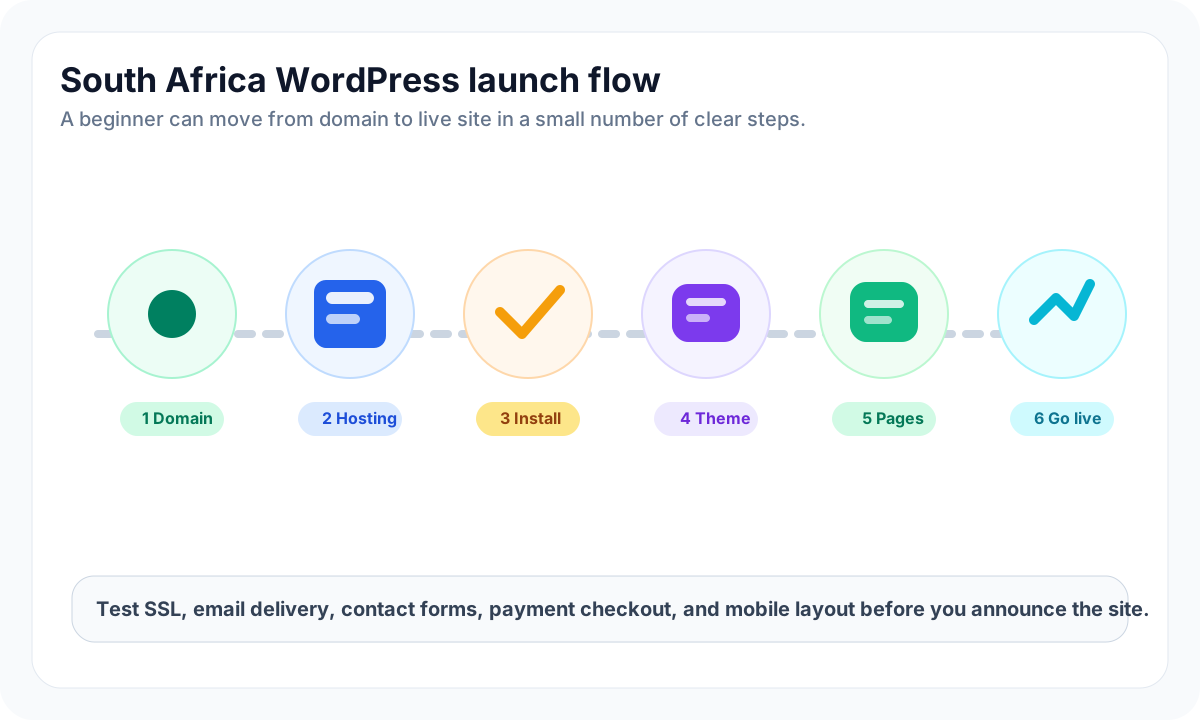
For a normal beginner setup, follow this order:
- Buy the domain.
- Buy hosting.
- Point nameservers or DNS records to the host.
- Enable SSL before you start adding public pages.
- Install WordPress.
- Create an admin account with a strong password.
- Set the site title, timezone, language, and permalink structure.
- Add the essential pages: Home, About, Services or Shop, Contact, Privacy Policy, and Terms.
- Test the site on mobile before launch.
The official WordPress requirements page is worth checking before choosing cheap hosting. WordPress currently recommends modern PHP, MySQL or MariaDB, HTTPS support, and Apache or Nginx. If a host is far behind those requirements, do not build a new 2026 site there.
Choosing Themes and Plugins
A theme controls the design and layout. Plugins add features such as forms, SEO, caching, backups, security, analytics, ecommerce, bookings, or multilingual content.
For a South African small business website, start with fewer tools:
- one lightweight, responsive theme
- one contact form plugin
- one SEO plugin
- one security or login-protection plugin
- one backup plugin if the host backup is not enough
- WooCommerce only if you are actually selling online
Do not install ten plugins because a tutorial mentioned them. Every plugin adds maintenance. Some add scripts that slow the site. Some create security risk if abandoned. Before using a plugin, check recent updates, active installs, reviews, support history, and whether it works with your current WordPress version.
What to put on the first website
The first version does not need to be complicated. It should answer the buyer's basic questions:
- What do you sell or offer?
- Who is it for?
- Where in South Africa do you operate?
- What does it cost or how does someone get a quote?
- How can a buyer contact you?
- What happens after they submit a form or place an order?
For local service businesses, a clear Contact page and a strong service page will often do more than a fancy animation.
Building an Online Store with WooCommerce
WooCommerce is the most common ecommerce route for WordPress. WooCommerce's public pricing material presents the core platform as free and open source, with no platform revenue share. The cost comes from hosting, themes, extensions, payment fees, shipping tools, developer work, and maintenance.
WooCommerce is a good fit when:
- you want to sell in ZAR on your own domain
- you need flexible product pages and SEO content
- you want ownership of customer data and order history
- you are comfortable maintaining WordPress
- you need South African payment gateways and courier options
Before adding products, configure the store address, currency, tax settings, shipping zones, order emails, refund policy, privacy policy, and checkout pages. Do not launch WooCommerce before testing a real order, a failed payment, a refund, and an order email.
Payment Gateways for South African Websites
South African buyers do not all pay the same way. A serious WooCommerce store should think about debit cards, credit cards, EFT, Instant EFT, and bank-first payment behaviour.
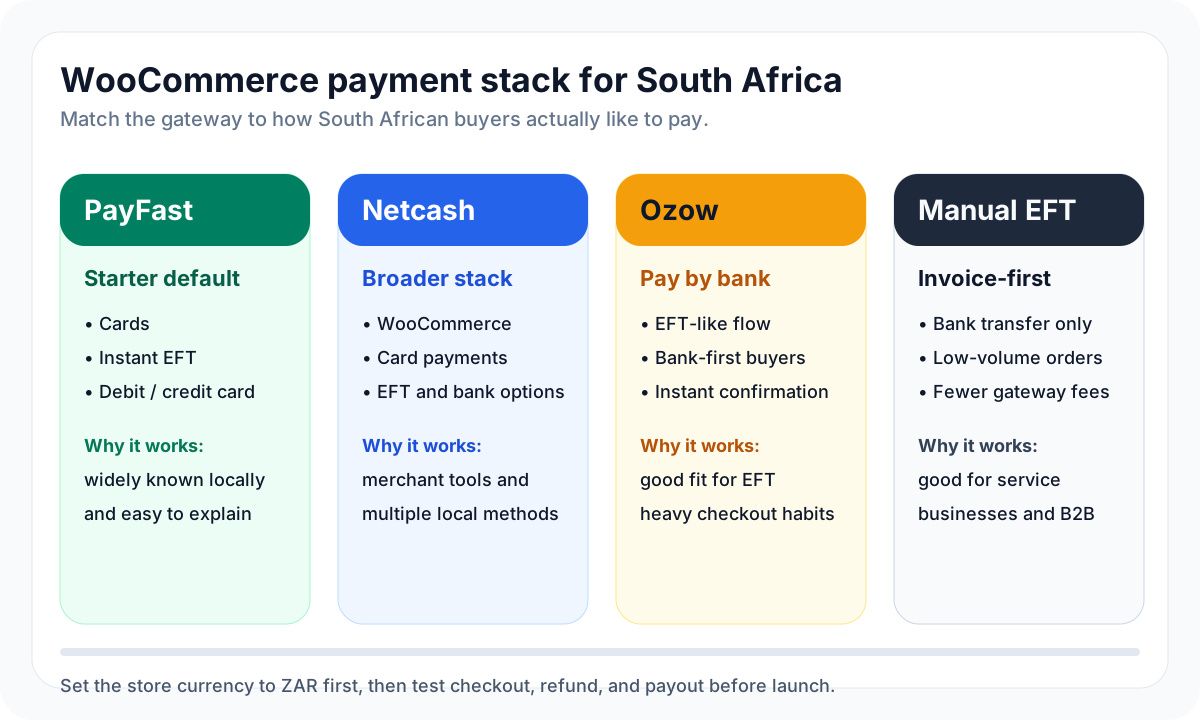
Gateway | Best fit | Notes for 2026 |
|---|---|---|
PayFast | First WooCommerce store, familiar local checkout | PayFast has official WooCommerce integration material and public fees. When checked on 2026-05-08, its fees page listed card payments from 3.2% + R2 and Instant EFT from 2% + R2. Confirm the latest fees before launch. |
Netcash | Stores that want a broader merchant payment stack | Netcash's WooCommerce page positions it around WooCommerce payments, refunds, subscriptions, and a fixed monthly fee plus per-method transaction fees. |
Ozow | Bank-first checkout, pay-by-bank behaviour, EFT-style customers | Ozow's pricing page listed no setup fee, no monthly fee, bank payment options, payouts, and refunds when checked on 2026-05-08. |
Manual EFT | Low-volume service businesses, invoice-first sales, B2B | Useful when orders are few and trust is high, but it creates manual reconciliation work. |
For many new stores, PayFast is the easiest first gateway because it is familiar and directly documented for WooCommerce. Netcash deserves attention if you want more merchant tools and payment methods in one account. Ozow is strongest when customers prefer bank payments and you want Instant EFT-style confirmation.
If you are also comparing marketplace channels, read How to Sell on Amazon South Africa in 2026. A WordPress store gives ownership, while marketplaces give existing buyer traffic. Many South African sellers eventually use both.
Estimated Website Costs in South Africa (2026)
There is no single "WordPress website price" because the cost depends on whether you do it yourself, use a freelancer, buy a premium theme, add WooCommerce, or need custom development.
Use these as practical 2026 planning bands, not fixed quotes.
Cost item | 2026 reference range | What to check |
|---|---|---|
| About R100/year from many registrars; xneelo listed R105/year on 2026-05-08 | Renewal price, DNS control, privacy options, email forwarding |
Shared or entry WordPress hosting | Oner listed WordPress hosting from R39.99/month, Afrihost shared hosting from R84/month, and xneelo web hosting from R99/month on 2026-05-08 | SSL, backups, PHP version, support, upgrade path |
Managed WordPress hosting | HostWP's 2026 cost guide discussed managed WordPress hosting from around R399/month | Support quality, staging, backups, performance help |
International hosting | Hostinger listed WordPress hosting from USD pricing on long-term terms | Exchange rate, renewal price, data centre, CDN, support timezone |
Theme | Free to R1,500+ once-off or annual | Update history, WooCommerce compatibility, page-builder bloat |
Essential plugins | Free to R2,000+ per year | Backups, security, SEO, forms, caching, ecommerce extensions |
Payment gateway | Usually per transaction, not a fixed website cost | Card rates, Instant EFT rates, payout timing, refund process |
Professional build | Often much higher than hosting costs | Scope, copywriting, design, SEO setup, ecommerce setup, training |
For a lean DIY brochure site, a realistic first-year cash cost can be roughly R1,000-R3,000 if you use an entry hosting plan, a .co.za domain, and free themes/plugins.
For a more polished service business site, budget R3,000-R8,000 before professional labour if you add a premium theme, premium form or SEO tools, and better backups.
For a WooCommerce store, budget R5,000-R15,000+ before product photography, courier integration, paid ads, and payment transaction fees. If you hire a freelancer or agency, the build cost can be far higher. That is why the cheapest hosting plan is not the real budget.
POPIA and Website Compliance
POPIA matters as soon as your website collects personal information. That includes contact form submissions, newsletter signups, account registrations, order addresses, payment-related data, customer support emails, analytics identifiers, and marketing pixels.
The South African Protection of Personal Information Act and the Information Regulator framework are not optional background reading if you collect leads or run ecommerce. Key POPIA provisions came into force in stages, and the compliance deadline is commonly treated as 1 July 2021 for practical website operations.
At a minimum, your site should have:
- a Privacy Policy that explains what data you collect and why
- a Terms page if you sell products or services online
- a refund and delivery policy for WooCommerce
- SSL on every page
- contact details for privacy requests
- secure admin access and strong passwords
- a retention approach for old form entries and customer records
- a cookie or tracking notice if you use analytics, ads, retargeting, or third-party marketing scripts
This is not legal advice. It is a practical checklist. If you collect sensitive data, run medical, financial, legal, or regulated services, or process large volumes of customer data, get proper legal review.
Common Mistakes Beginners Make
The most expensive mistakes are usually made before the first page is designed.
- Buying a domain but not understanding where the hosting lives.
- Choosing WordPress.com, then discovering that the needed plugin requires a higher plan.
- Picking the cheapest host without checking PHP version, SSL, backups, or support.
- Installing a heavy theme demo and wondering why the site is slow on mobile.
- Using a Gmail address instead of a domain email address.
- Launching WooCommerce without testing payment, refund, email, and payout.
- Forgetting POPIA, privacy policy, terms, refund policy, and cookie disclosures.
- Pricing in USD for South African customers who expect ZAR.
- Installing too many plugins instead of solving the actual user problem.
If the site will support an ecommerce business, do the boring setup first: domain, SSL, email, backup, payment, refund, shipping, privacy, and mobile checkout.
Final Recommendations
For most South African beginners, the safest starting point is:
- Register the
.co.zadomain. - Buy reliable South Africa-friendly hosting.
- Install WordPress.org.
- Use a lightweight theme.
- Publish clear service or product pages.
- Add WooCommerce only when you are ready to sell.
- Start with PayFast if you need a familiar first payment gateway.
- Add Netcash or Ozow when your payment mix justifies it.
- Publish privacy, terms, refund, and delivery pages before running traffic.
WordPress is not the fastest shortcut. It is a flexible ownership route. If you want a site that can grow from a simple local presence into content, leads, ecommerce, and a real brand asset, it still makes sense in South Africa in 2026.