Makro Marketplace gives independent sellers a way to reach customers through Makro’s online storefront. For South African businesses, the practical question is whether each product can cover its costs while remaining competitive.
Before expanding your catalogue, establish three things: what you can reliably supply, what each sale costs, and how you will prepare orders. Then use controlled pricing rules and organised store management to reduce repetitive work.
How Makro Marketplace Works and What You Need to Start
Customers shop through Makro, while marketplace sellers remain responsible for their account, products, prices and stock. The Makro Seller Portal is your operational starting point for listings and orders.
Prepare your registration information
Makro checks registration details automatically. If verification fails, it requests documents for manual review. Depending on your business and verification result, these can include:
CIPC documentation for a company or identity documentation for a sole proprietor.
SARS VAT documentation if VAT-registered.
Proof of bank account dated within the previous three months.
Enter information exactly as it appears on your records. Confirm the pickup address separately from your business address: it must identify where couriers can collect parcels.
Check products before purchasing stock
Review Makro’s current restricted-product and category requirements before committing money. Confirm any applicable brand permissions and compliance documents.
For your initial range, choose products you can physically supply, measure and package. A manageable catalogue makes it easier to identify missing attributes or unrealistic preparation times before order volume grows.
Calculate Makro Marketplace Fees and Choose Your Fulfilment Method
Include every applicable charge
As checked on 11 November 2026, Makro’s help centre lists these charges.
Fee | What to budget for |
|---|---|
Platform fee | R230 including VAT monthly when you have at least one active listing, even without sales |
Commission | A category-dependent percentage on each unit sold |
Final-mile transport | Per-unit charges linked to package volume, weight and fulfilment method |
FBM first-mile transport | Consignment transport to Makro; currently free until 30 November 2026 |
FBM storage | No charges for the remainder of 2026; check subsequent rates and stock-cover rules |
Temporary waivers have end dates. Recalculate before replenishing stock for a later period. Use the official Seller Fee Calculator linked from Makro’s fee guide, and check whether each input includes VAT.
Compare FBS and FBM
Responsibility | Fulfilled by Seller — FBS | Fulfilled by Makro — FBM |
|---|---|---|
Storage | Your premises | Makro fulfilment centre |
Picking and packing | Your team | Makro |
Delivery | Makro-appointed courier collects prepared parcels | Makro manages delivery |
Planning focus | Preparation capacity and collection readiness | Inbound stock, stock cover and applicable fees |
Makro permits FBS, FBM or a combination. Compare the cost of preparing orders yourself with sending stock to Makro; assess each SKU separately.
Check the amount left from a sale
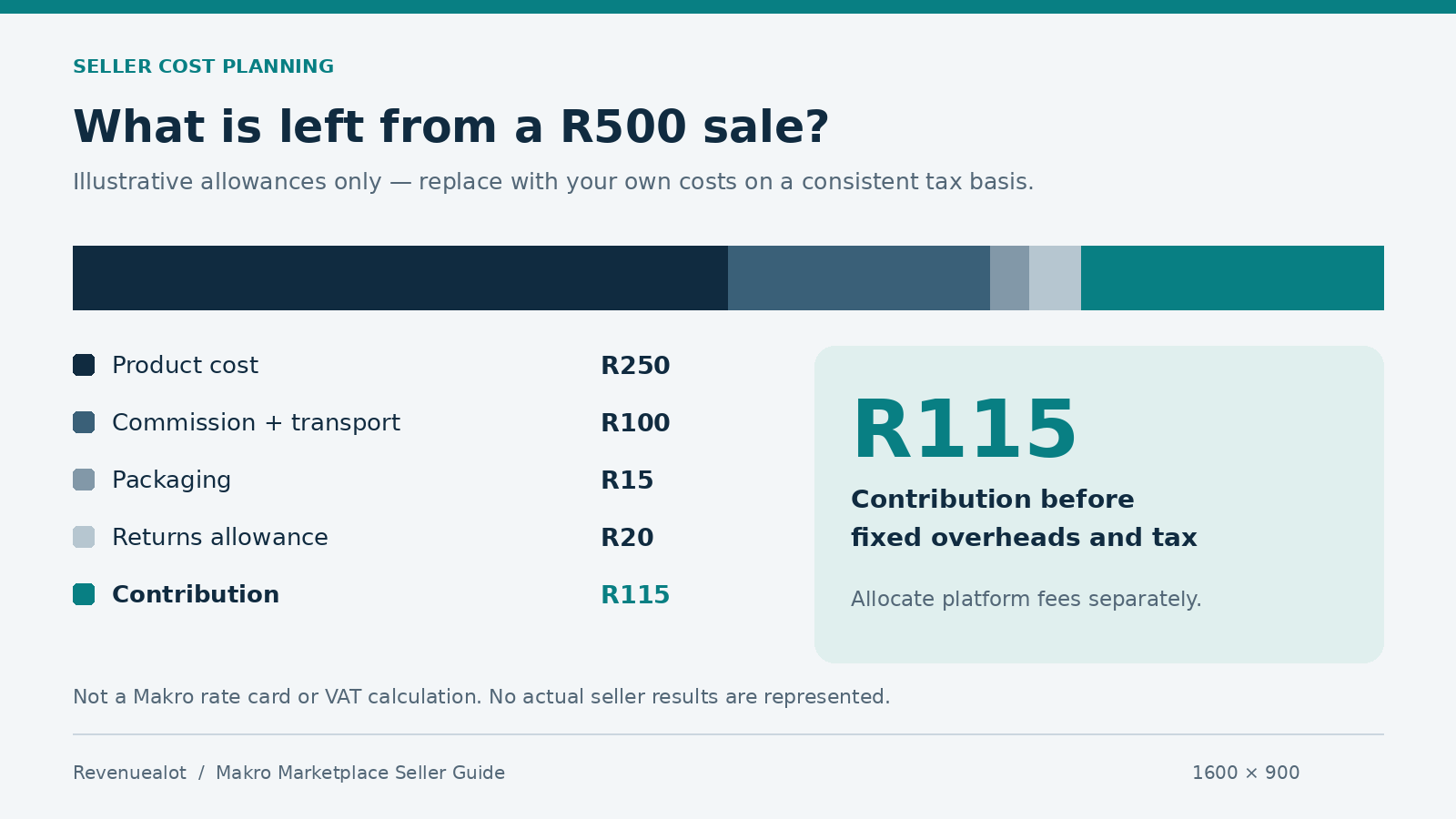
The following is an illustrative planning example, not Makro’s rate card or a VAT calculation. Replace every allowance with your own figures on a consistent tax basis.
Item | Amount |
|---|---|
Selling price | R500 |
Product cost | −R250 |
Commission and transport allowance | −R100 |
Packaging | −R15 |
Returns allowance | −R20 |
Contribution before fixed overheads and tax | R115 |
Allocate the monthly platform fee and other overheads separately. If you lower the price, recalculate commission and contribution rather than assuming the original margin survives.
Improve Listings, Automate Pricing and Organise Multiple Stores
Make listings ready for fulfilment
Use precise titles, complete specifications and images showing what buyers receive. State pack quantities clearly. Measure the fully packaged parcel: package details influence courier allocation and transport charges.
For each working day, check stock availability, orders approaching their preparation deadline, and parcels ready for collection. Generate waybills when parcels are ready, then match labels and the assigned courier carefully.
Set up Revenuealot Makro Auto Pricing
Revenuealot is an ecommerce analytics and operations SaaS platform for local sellers. Its Makro Auto Pricing follows competing offers on the same listing within your configured price limits.
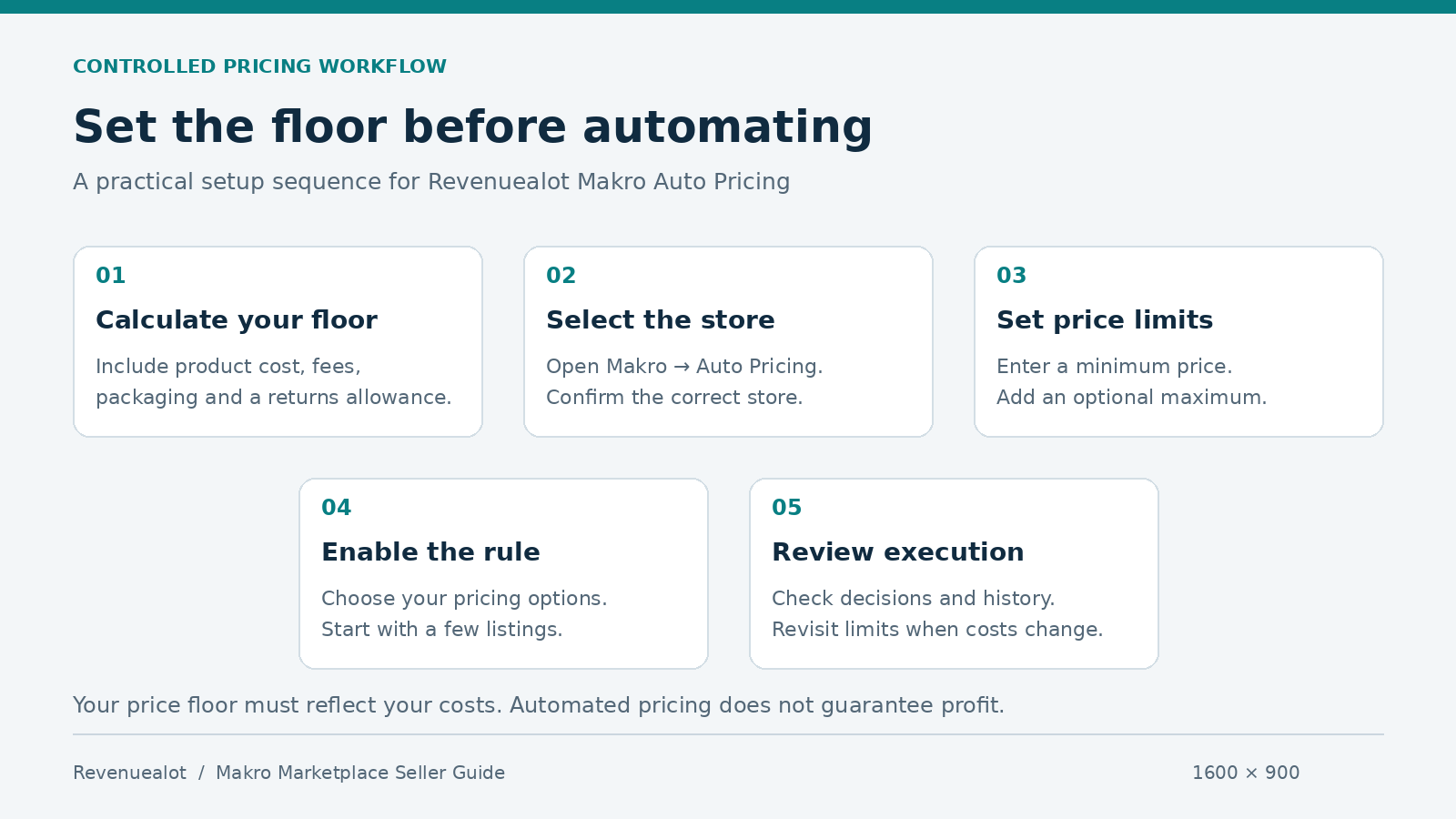
Connect your store and open Makro → Auto Pricing.
Select a listing and enter a cost-based minimum price.
Optionally set a maximum, no higher than the listing’s Base Price.
Choose whether to allow increases while holding the Buy Box.
Enable the rule and review its decision, execution status and history.
Checks run every 30 minutes. Other Makro stores in your organisation are excluded as competitors.
Start with a few listings. A minimum price protects only the boundary you entered; calculate it carefully. Automatic pricing does not guarantee Buy Box ownership or profit.
Keep multiple stores organised
Revenuealot supports multiple authorised stores within one organisation. Use clear store names and confirm the selected store before changing pricing settings. Available connections and features depend on your plan.
Maintain a simple control sheet listing each store, its responsible operator, active pricing rules and latest review date. Revisit minimum prices when supplier costs or marketplace fees change. This gives your team a concrete record of which settings need attention.
Conclusion and Your Next Steps on Makro Marketplace
Start with verified account details, eligible products and a complete cost calculation. Select fulfilment based on actual capacity and charges, then publish accurate listings with stock you can supply.
As your catalogue grows, explore Revenuealot’s automatic pricing and multi-store capabilities. Set boundaries deliberately and check execution results before extending rules across more products.
Frequently Asked Questions
Who can register as a Makro Marketplace seller?
Makro’s registration guidance accommodates companies and sole proprietors. Acceptance depends on verification and applicable platform requirements.
What does selling on Makro Marketplace cost?
Budget for the platform fee, category commission and transport. FBM can also involve first-mile and storage charges.
How do FBS and FBM differ?
With FBS, you store and prepare stock. With FBM, Makro stores stock and handles picking, packing, delivery and returns.
Can I register without being VAT-registered?
Makro requests VAT documents if VAT-registered. Enter your actual status; check your registration obligations separately.
Can Revenuealot manage pricing across multiple Makro stores?
You can connect authorised stores and configure listing rules for the selected store, subject to plan access and automation quotas. [4][5]