Store Metrics
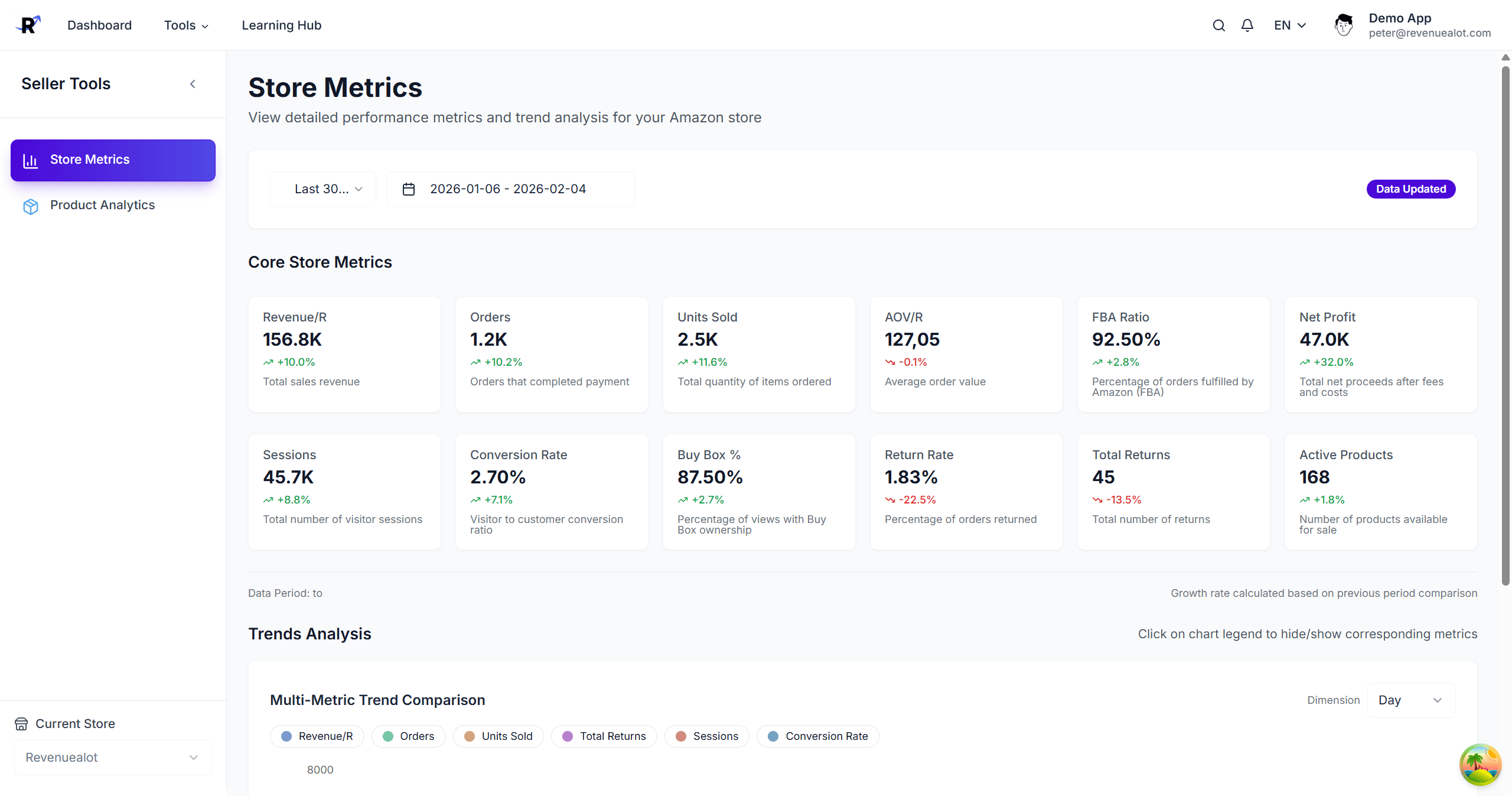
The Amazon Store Metrics page provides core operating metrics and trend analysis for your Amazon store.
Prerequisites
- Amazon store is connected
- Select the target store at the top of the page
Core Metrics
| Metric | Description |
|---|---|
| Total Revenue | Total sales revenue in the selected period |
| Total Orders | Number of orders in the selected period |
| Total Quantity | Units sold in the selected period |
| Average Order Value | Revenue / orders |
| FBA Order Ratio | Share of orders fulfilled by FBA |
| Active Products | Count of active products |
| Prime Order Ratio | Share of Prime orders |
| Total Returns | Count of returns |
| Return Rate | Returns / orders |
| FBA Returns | Returns from FBA orders |
| MFN Returns | Returns from MFN orders |
| Business Order Ratio | Share of business orders |
Click a metric card to highlight it in the trend chart.
Trend Analysis
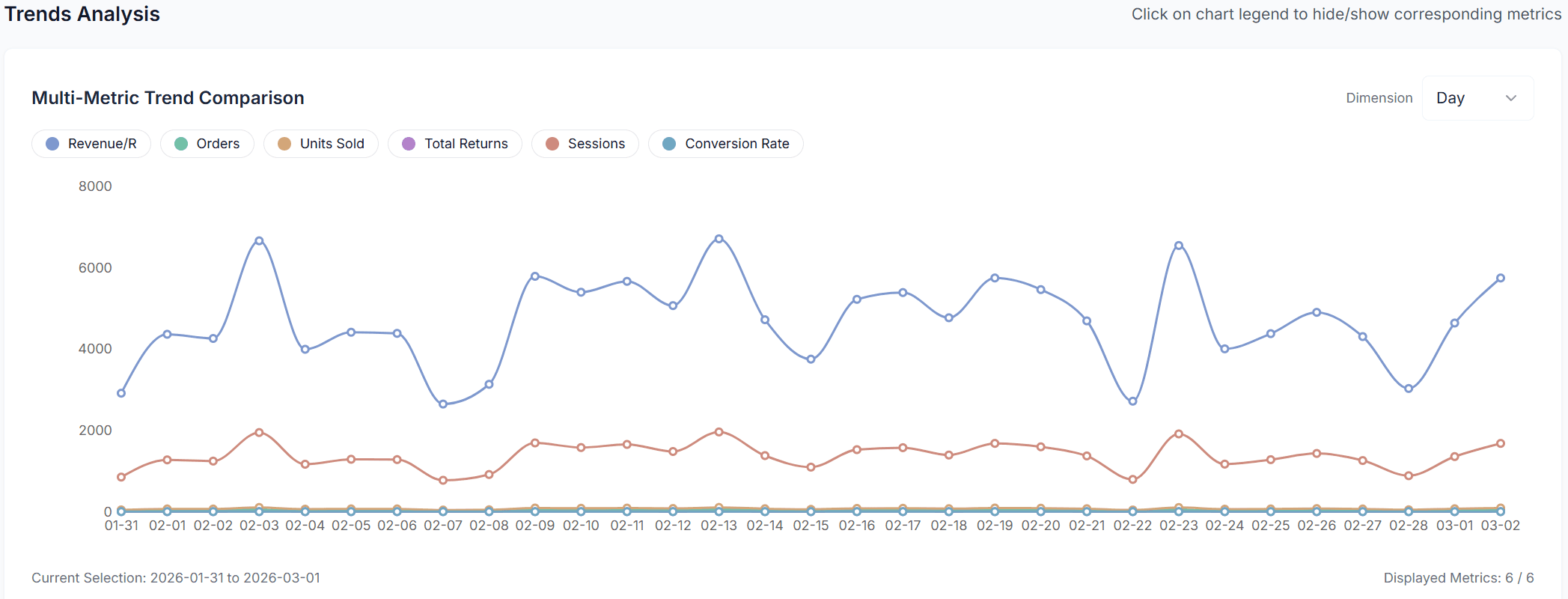
The trend chart plots the following 6 metrics simultaneously, each as a separate line:
| Line | Metric |
|---|---|
| 1 | Total Revenue |
| 2 | Total Orders |
| 3 | Total Quantity |
| 4 | Total Returns |
| 5 | Sessions |
| 6 | Conversion Rate |
Click a legend entry to show or hide individual lines. Hover over the chart to see exact values at a given date.
Date Range and Period Comparison
- Default range: Last 30 days (excluding today)
- Preset options (e.g. Last 7 days, Last 30 days) and custom date picker
- Period comparison: Automatically compares the selected range against an equal-length previous period (e.g. selecting 30 days also fetches the prior 30 days for comparison)
Data Sources
Metrics are computed from Amazon orders, returns, and product data. Some metrics also use Sales & Traffic / Economics data once synced.
Troubleshooting
No data
Initial sync may still be running. Please wait and refresh.
Wrong store
Switch to the correct Amazon store and reload the page.
Next Steps
- 📣 Amazon Ads Dashboard - Review ads KPI and campaigns
- 📦 Amazon Product Analytics - Product-level insights
- 🔁 Listing Sync - Sync listings to Amazon