Store Settings
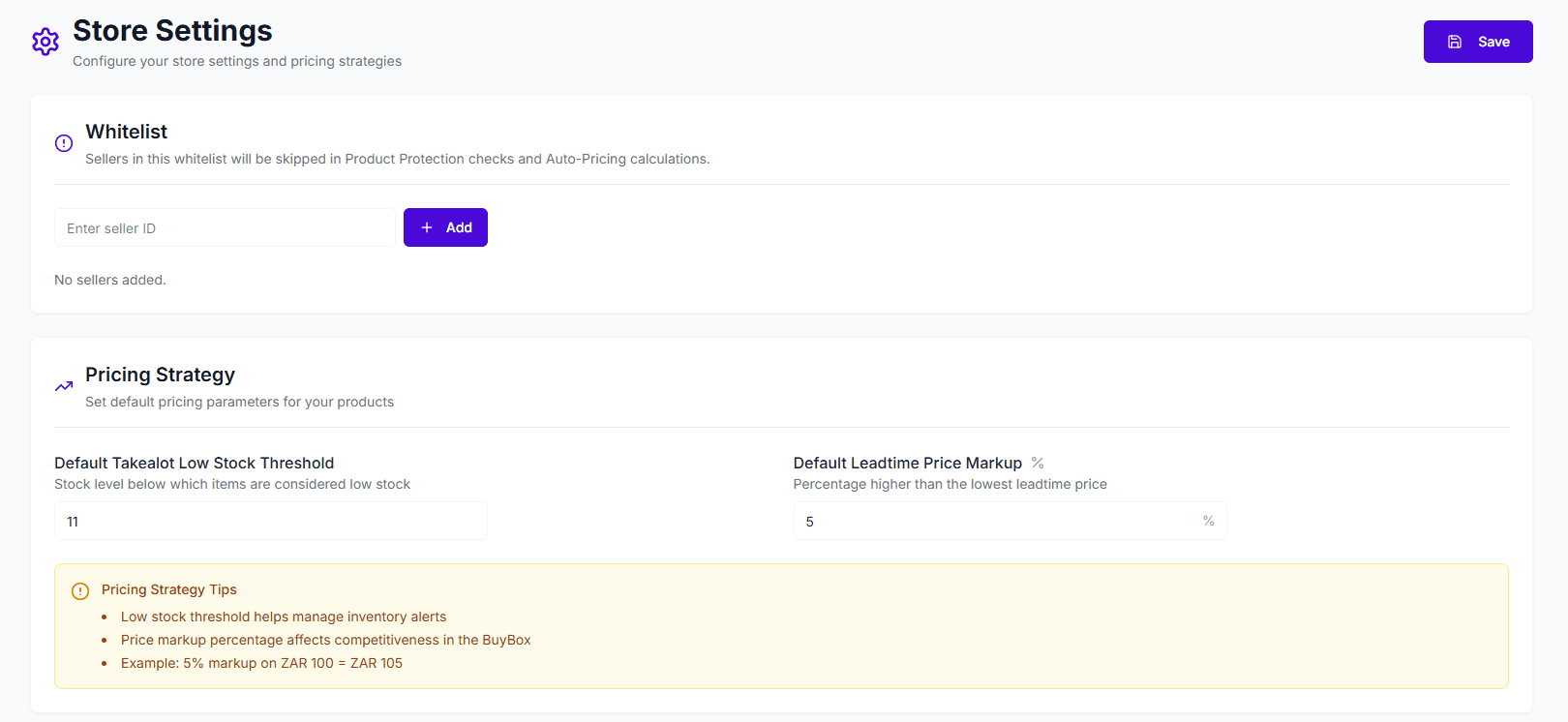
Store Settings allows you to configure parameters specific to each connected store, including whitelist settings and global pricing strategies. These settings impact the behavior of auto-pricing, product protection, and inventory alerts.
Whitelist
The whitelist feature allows you to specify seller IDs that the system will ignore during competition analysis and auto-pricing.
- Function: Sellers in the whitelist will not be considered competitors. This means the system will skip these sellers when calculating BuyBox competition or triggering product protection.
- Use Cases:
- You own multiple stores and don’t want them to compete against each other.
- You have partnerships with certain distributors.
How to Add to Whitelist
- Enter the seller’s ID in the “Enter seller ID” input box.
- Click the Add button.
- Once added, the ID appears as a tag below. Click the X next to a tag to remove it.
Pricing Strategy
Set default parameters applicable to your store’s products here.
1. Default Takealot Low Stock Threshold
- Definition: The stock level below which the system considers an item to be “low stock” in the Takealot warehouse.
- Purpose: Helps you manage inventory replenishment alerts.
- Example: Set to
11. Low stock status is triggered when inventory drops to 10 units.
2. Default Leadtime Price Markup
- Definition: The percentage by which your price is allowed to be higher than a competitor’s when you choose to “Compete with Leadtime” (compete with sellers having longer shipping times).
- Purpose: Due to faster shipping advantages, you can often win the BuyBox even with a slightly higher price. This setting allows you to maintain a higher profit margin within that advantage range instead of blindly matching the lowest price.
- Example: Set to
5%. If a competitor (slow shipping) is priced at R100, your auto-pricing will attempt to price around R105 instead of dropping directly to R100.
Tips:
- Low stock thresholds help facilitate timely restocking to prevent stockouts.
- A reasonable price markup leverages your logistics advantage (e.g., In Stock) to maintain higher profits.
- Example: A 5% markup means a base price of R100 can be priced at R105.
Saving Settings
After configuration, be sure to click the Save button in the top right corner of the page to apply your changes.